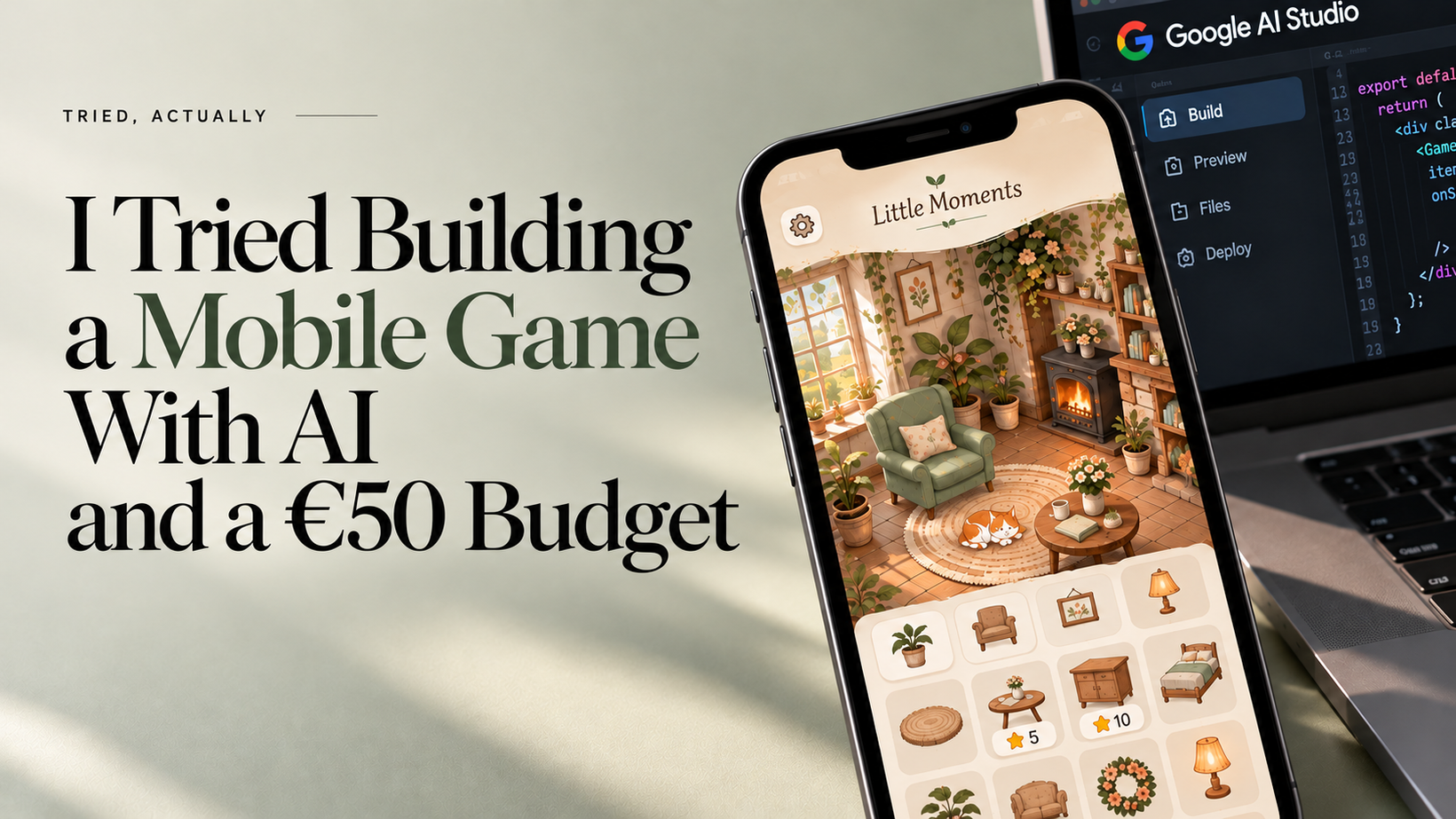
The short version: Google AI Studio built me a working five-level puzzle game in 8 minutes and 27 seconds. I finished it in about five minutes. So the AI spent longer making the game than I spent playing it, which is not the relaxing evening I had in mind.
Here’s how it went.
Why I even tried this
This blog, Tried, Actually, is about testing things that look amazing in announcements but might be useless in real life: new AI tools, apps, features. I also want to catch up on digital marketing. What’s AEO? What happened to SEO while I was away?
I’m on parental leave, and my son is 13 months old. My days revolve around him, and by evening I’m often too tired to even watch a show. So I open a random puzzle game and vanish into it for an hour, sometimes more. Spot the difference, color sorting, nonograms, arranging objects. Nothing thrilling, and that’s the point. I want my brain to stop thinking about laundry, groceries and job applications for a while.
I’m also looking for a remote job I can combine with childcare, and for ways to earn a bit extra without trading every hour of my day for it.
So one evening I wondered: what if I made one of these games myself?
Not the next Candy Crush, and not one of those giant merge games with thousands of levels and a whole studio behind them. I have a laptop, about €50 I’m willing to spend, and zero game development experience. What could go wrong?
The game I wanted
A game I’d happily play after my son is asleep: cozy and calm, with soft background music, satisfying ASMR-style sounds and gentle colors. Every level would be a different puzzle (spot the difference, then a nonogram, then color sorting, a sliding puzzle, object arranging), because ten identical levels in a row would bore me. Difficulty rises gradually, but no timers, no lives, no stress.
Then came the idea I liked even more: you earn stars by solving puzzles and spend them on decorating a little house. Not points that mean nothing, but something you can watch grow. An almost empty cottage at first, then furniture, plants, lighting, rugs, and eventually new rooms, with a few options for each item so everyone’s home looks a little different. I'm not reinventing the wheel here. Plenty of mobile games already use similar mechanics, and for good reason. I just wanted to combine that familiar sense of progression with different relaxing puzzles in one game.
Working title: Little Moments.
How I built it
Once I had a clear concept, I used ChatGPT to turn it into a detailed prompt for Google AI Studio. I explained the gameplay mechanics, how the levels should alternate, the visual style, the reward system, and how I wanted the cottage decoration to work. A small part of it:
Create a beautiful, calming, cozy puzzle game combining satisfying ASMR interactions, short mini-games, and decorating a little cottage. The player completes a different type of puzzle each level, earns stars, and uses them to decorate a home.
I asked for five playable levels, a decoration shop, saved progress, sound controls and a warm illustrated look. I also said clearly that I wanted a working game, not a pretty interface with buttons that do nothing.
Why AI Studio? On May 19, 2026, Google announced native Android app building there. You describe the app, and AI helps build it. It’s free to start, and you can preview the result in the browser. I have an iPhone, but I also have a Samsung tablet, bought as a backup for my son on our 16+ hour drives to Latvia (yes, sometimes cartoons; pediatricians, forgive me). It will be my test device.
The plan: build it, test it, improve it, try to publish on Google Play, and maybe earn a little.
What came out
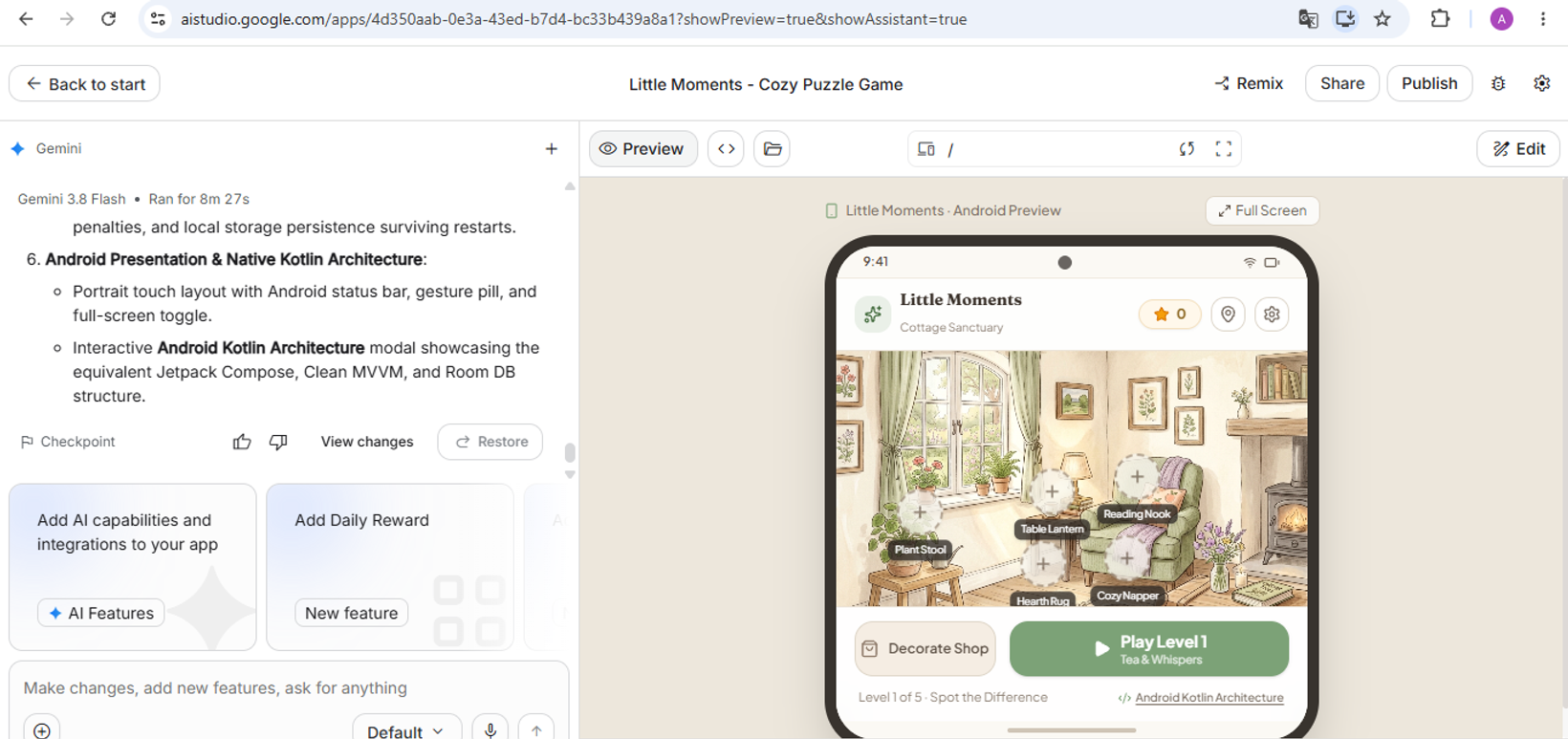
I watched Google generate file after file: puzzle components, game logic, storage, sounds, the shop, the interface. AI Studio reported 8 minutes and 27 seconds. Then the preview appeared.
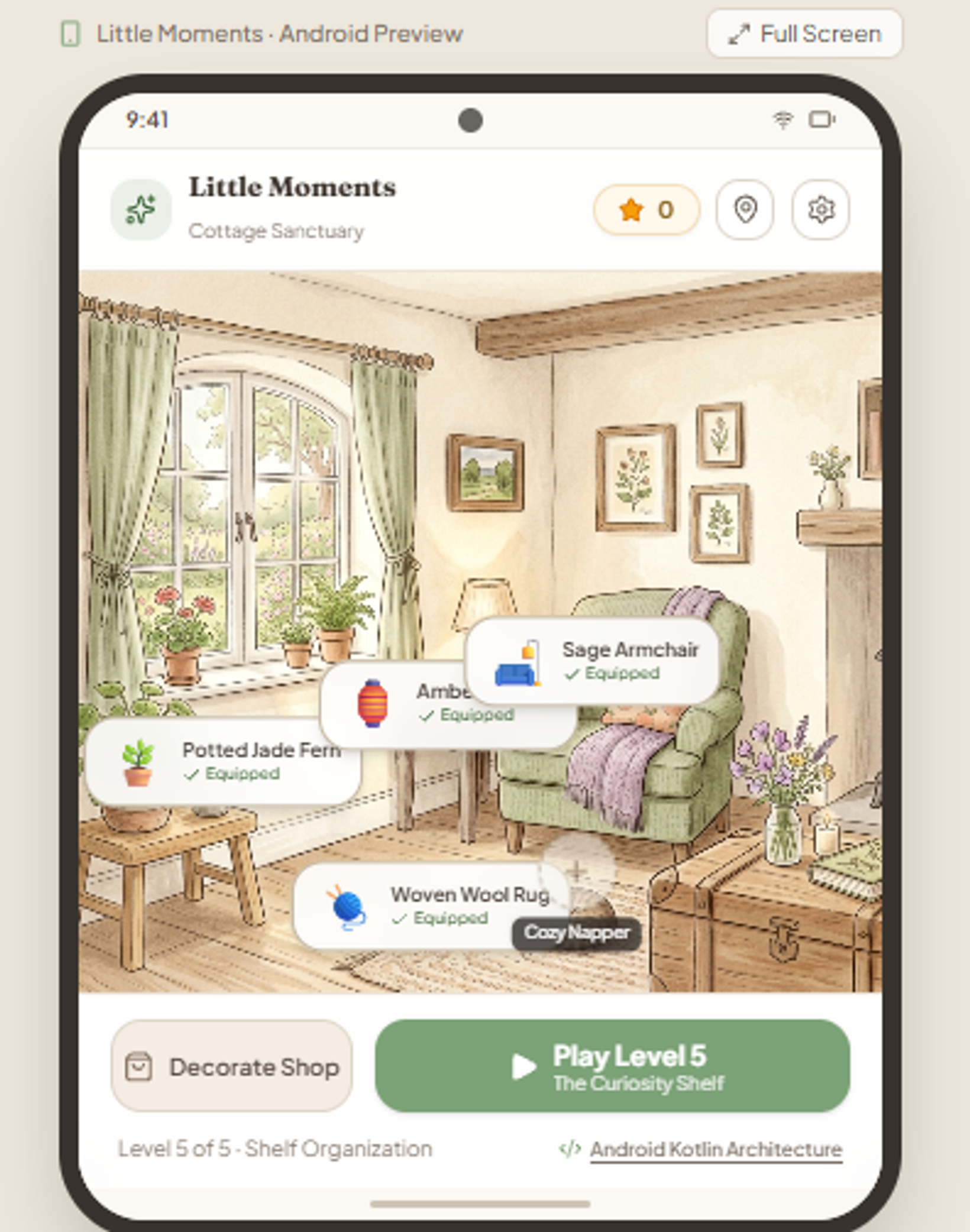
What struck me first was how good it looked: an illustrated cottage with green curtains, wooden furniture, plants, framed pictures, a fireplace and a cozy armchair. Exactly the warm atmosphere I’d described. I’d expected something far more basic.
The five levels:
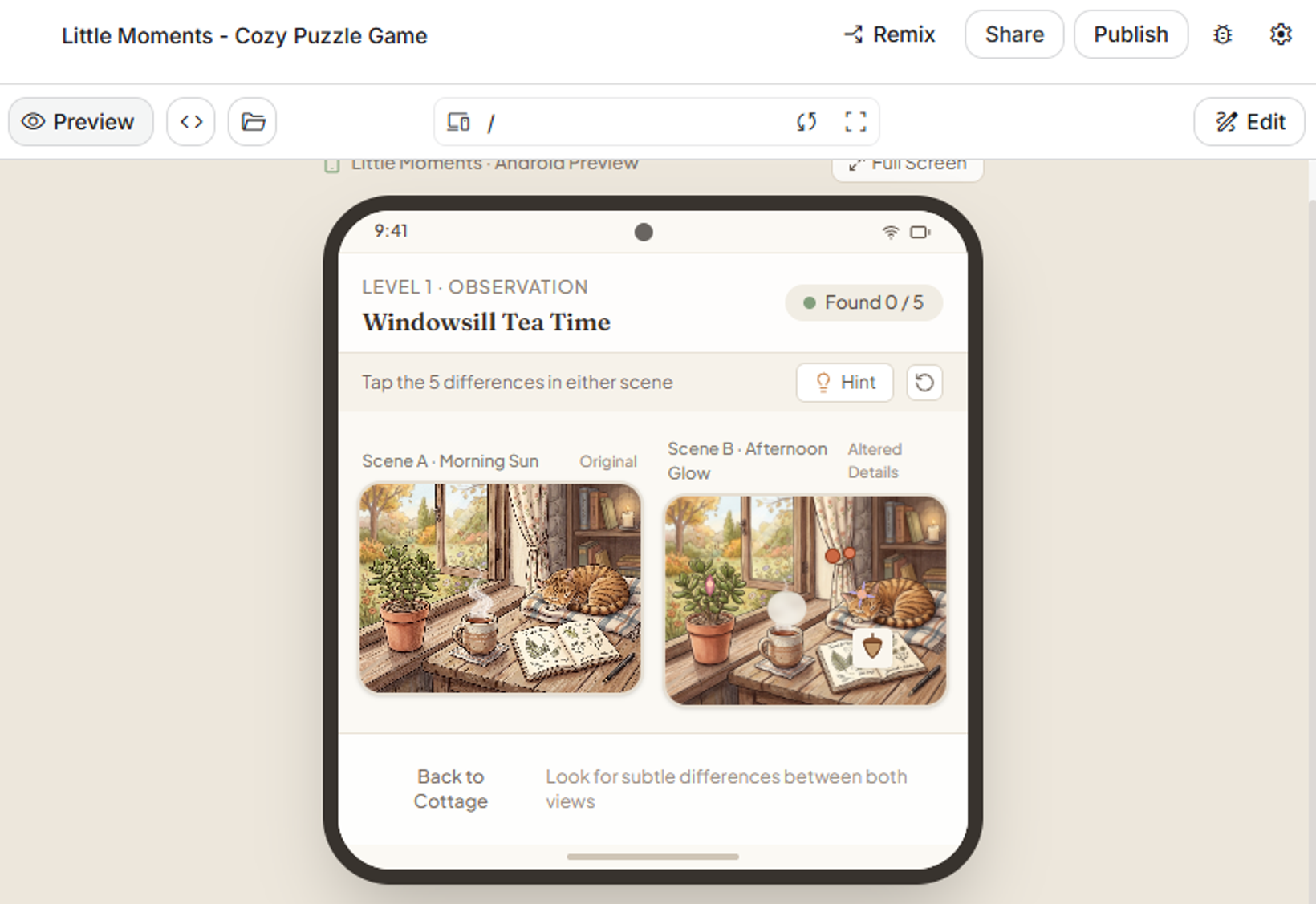
Spot the difference. A windowsill with a cat, tea and plants. I’d asked for an easy start; Google apparently heard “for a two-year-old.”
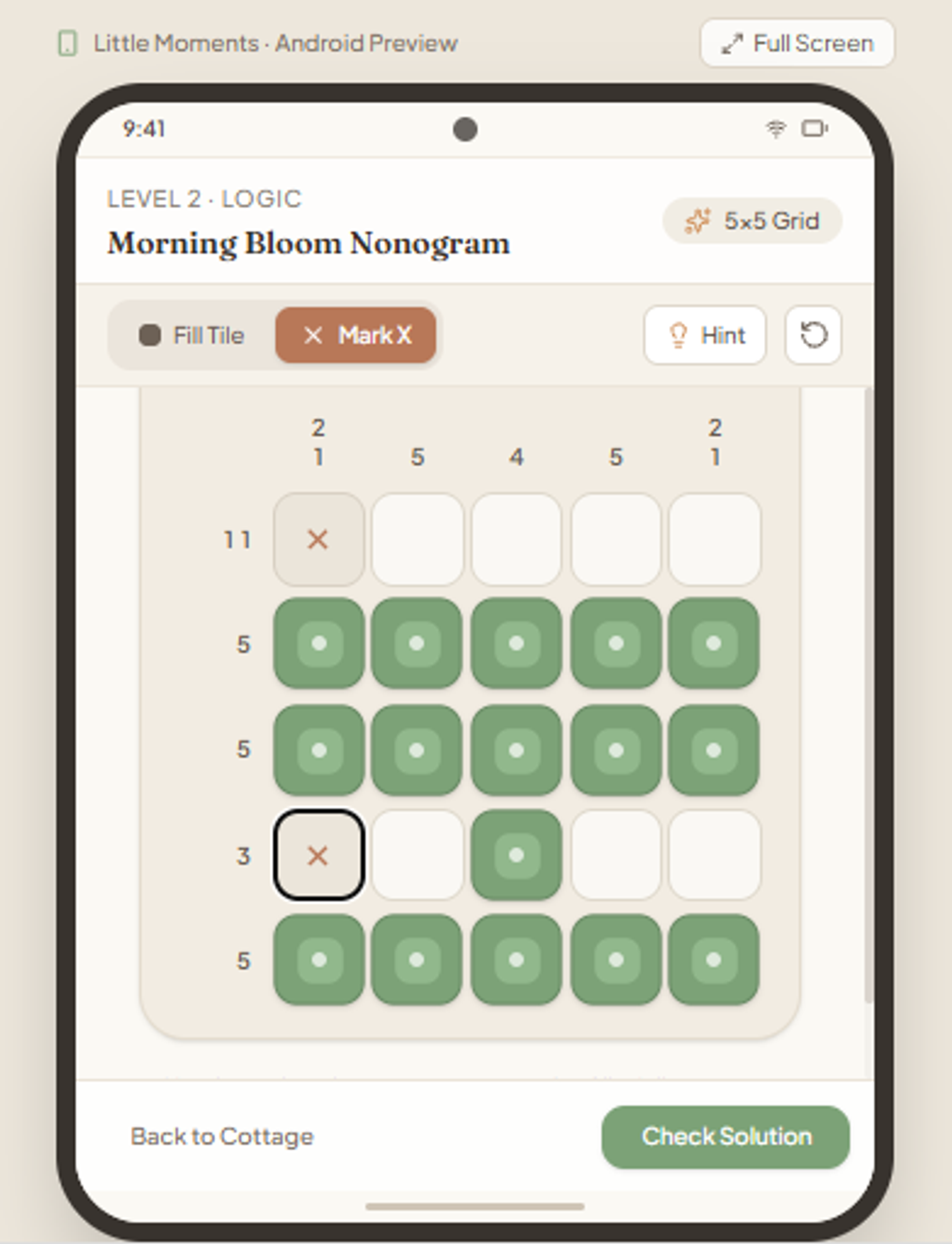
A 5×5 nonogram.
Color sorting with lavender, sage and peach liquids.
A sliding puzzle with illustrated tiles. The only one that made me think. At move 64 I asked ChatGPT to help me finish it, so yes, I used AI to beat the game AI made.
Arranging objects on a shelf.
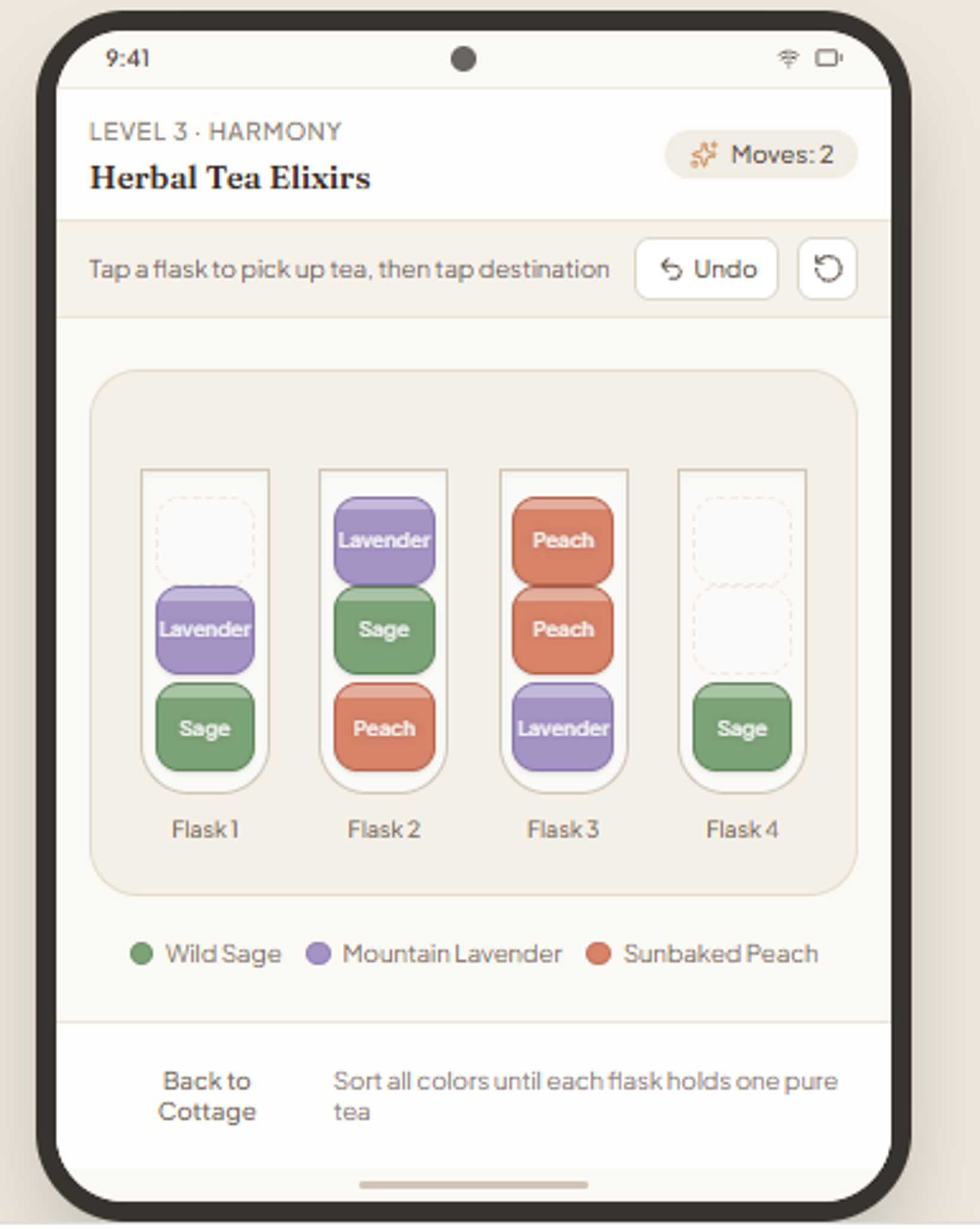
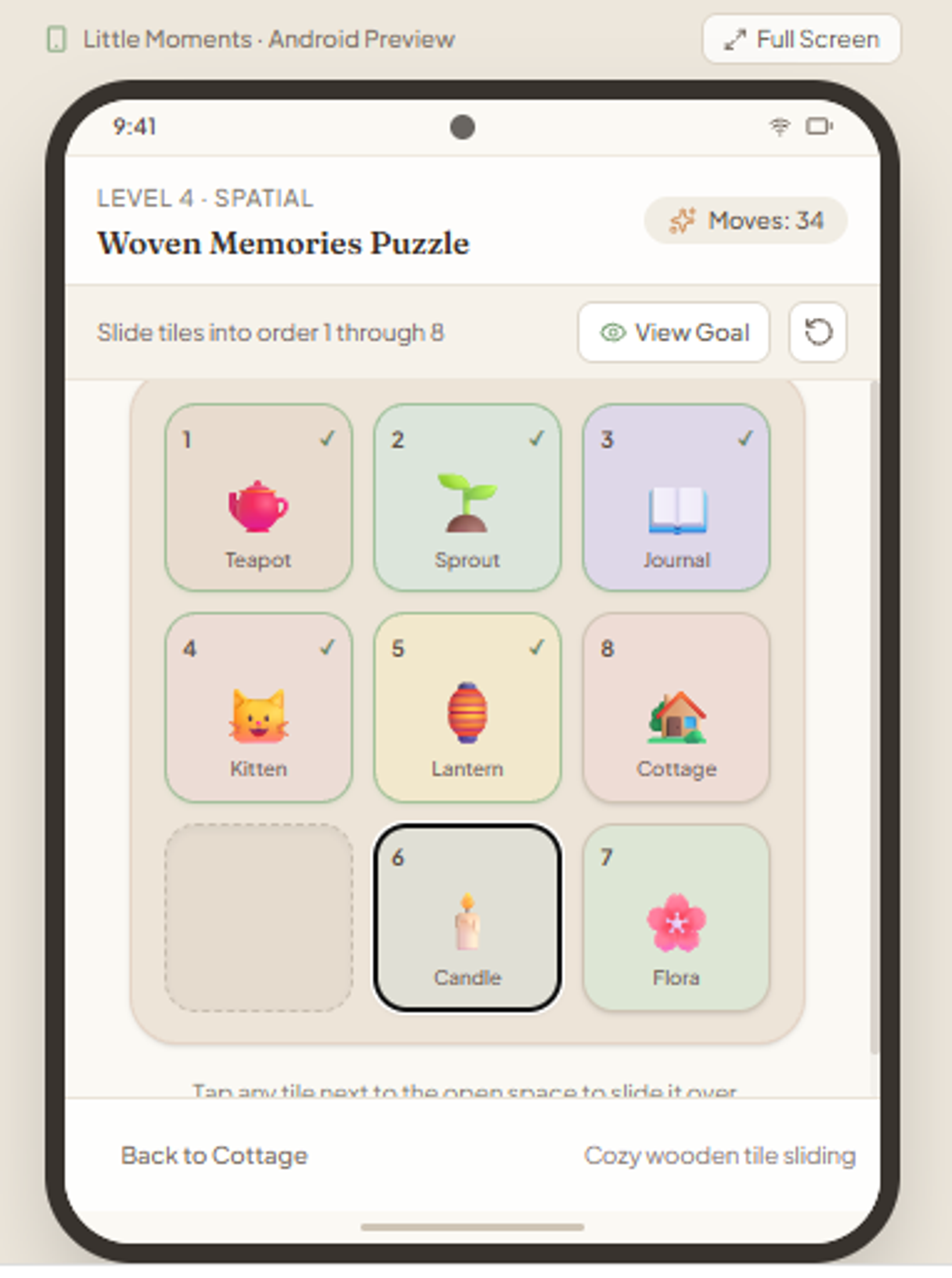
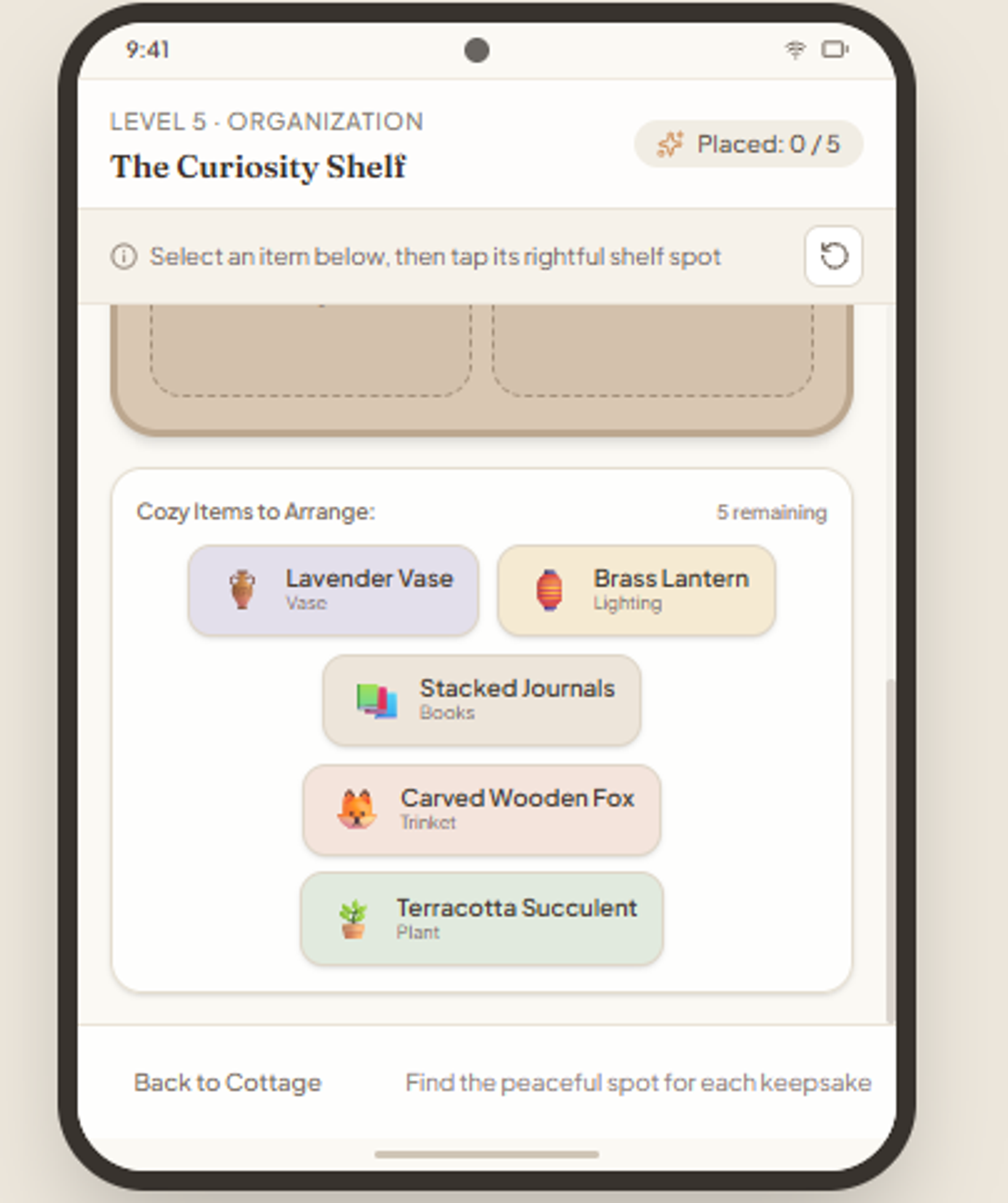
Everything worked. And the whole game took me about five minutes.
The shop is real
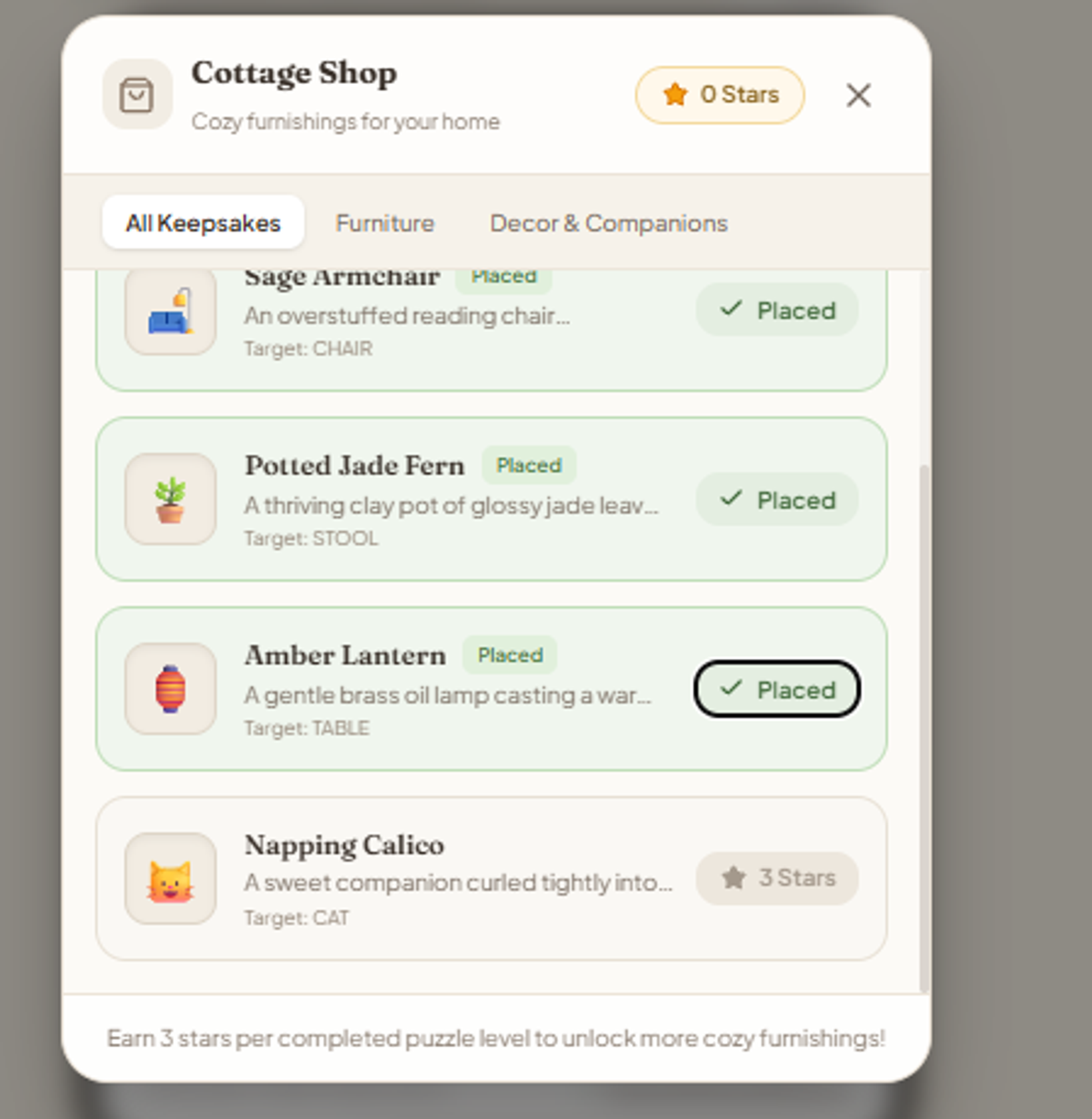
I was most curious about the rewards. I earned 12 stars and spent them on four items: a rug, an armchair, a fern and a lantern. My balance dropped to zero, the items were marked as placed, and they appeared in the cottage. It wasn’t a fake shop; the game really tracked stars, processed purchases and updated the room.
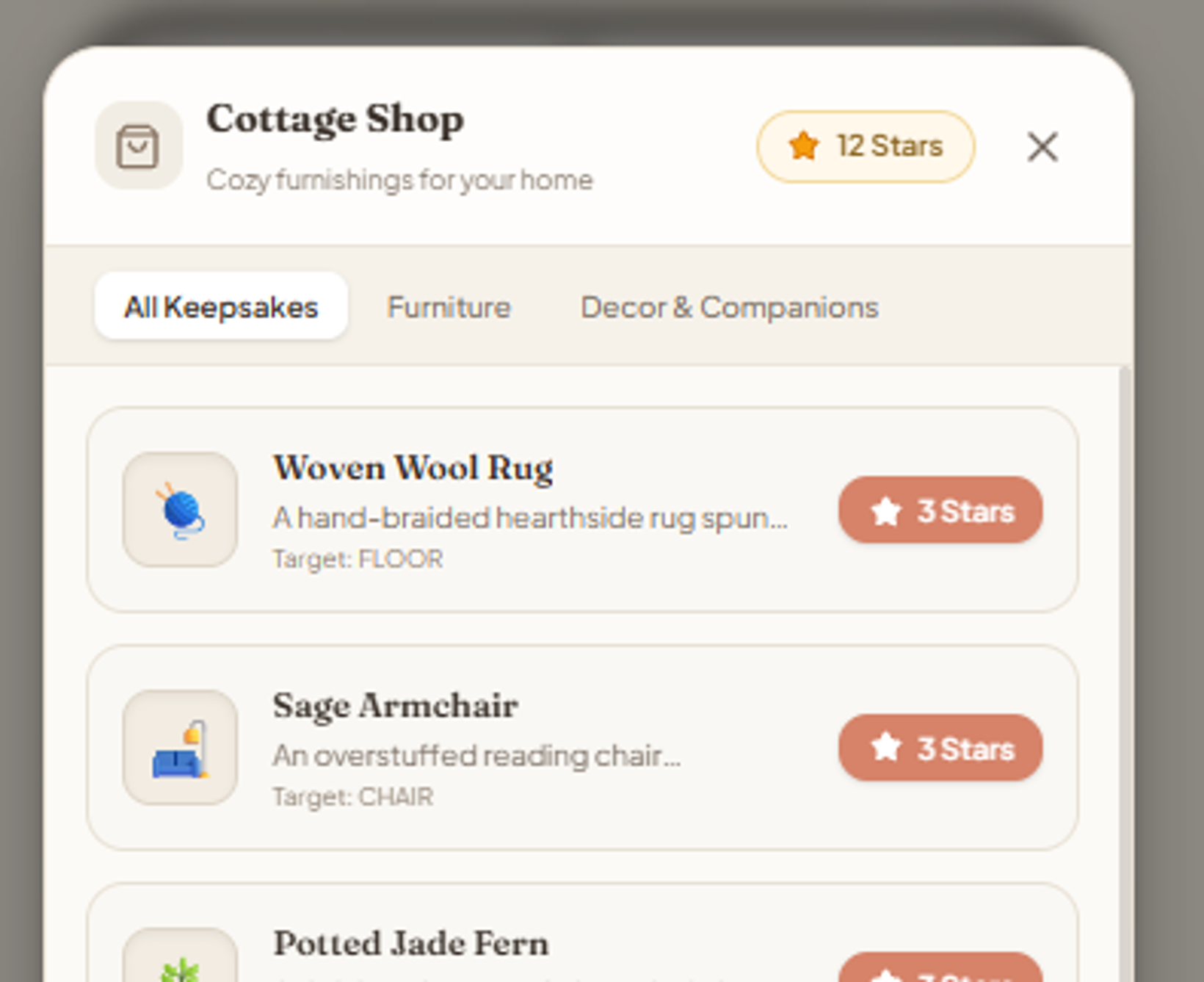
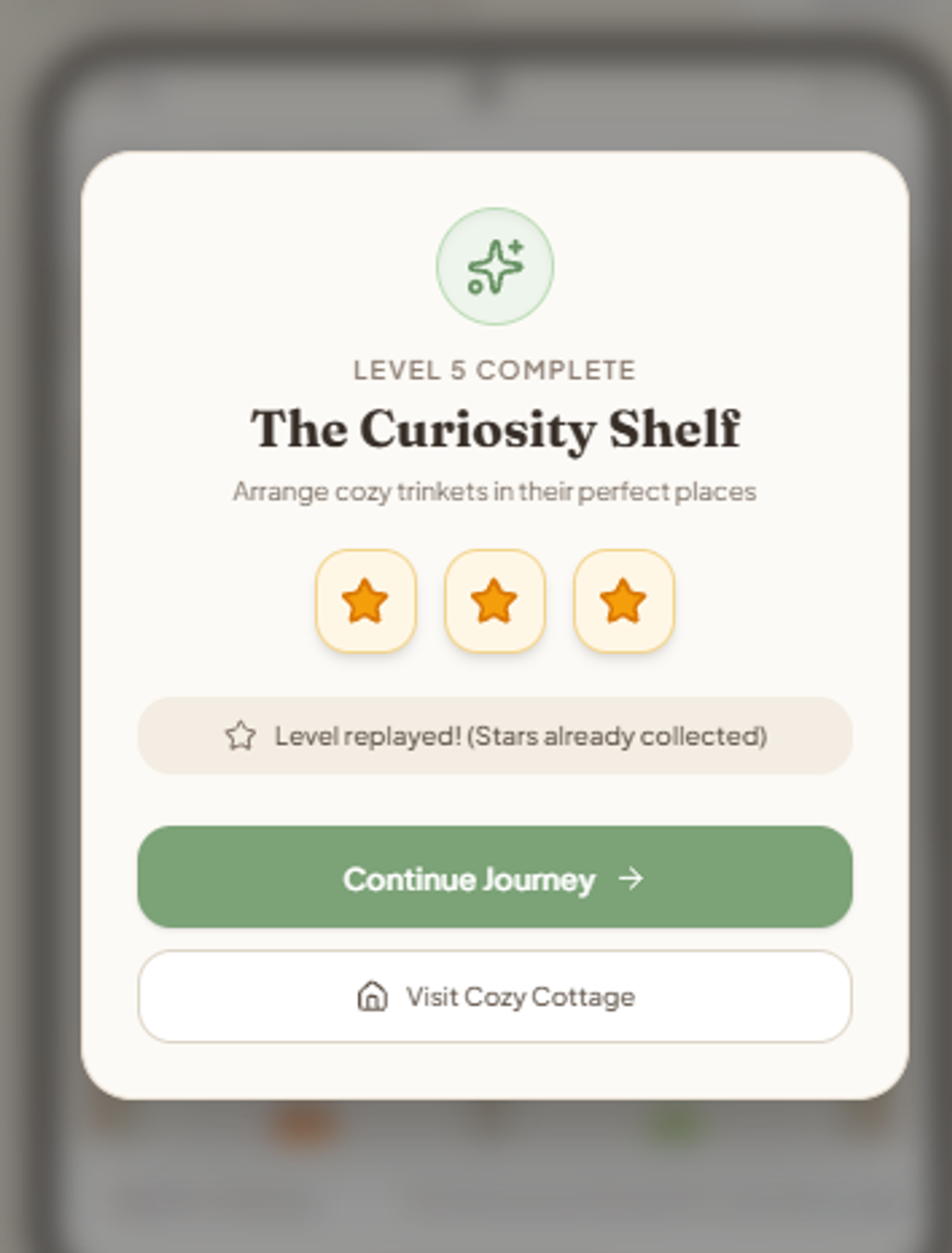
I also replayed a finished level. It showed the three-star screen but said the reward was already collected, so the most obvious exploit was already blocked.
The house part, though, is much more limited than I imagined. It’s not building a home, just decorating a room that’s already furnished. One armchair, one rug, one plant, each appearing in its fixed spot. Fine for a prototype, but I want players to feel they’re creating their own space, not buying the next item on a list.
What needs fixing
Visually I’m happy. Everything else went on a list:
• Difficulty. I want a relaxing game for adults, not one a five-year-old finishes before breakfast. Relaxing doesn’t have to mean trivially easy. Early levels stay accessible, but by level 15 or 20 you should actually have to think.
• Content. Five levels prove the idea but aren’t a real game. I’m aiming for 20 to 30 levels first, then 100 or more, always alternating puzzle types.
• Music. I asked for calming background audio and got only click sounds. I want soft piano or ambient music, with separate volume controls.
• The cottage. The biggest redesign. Start with an almost empty room, earn stars, choose between several designs, unlock more rooms (bedroom, kitchen, maybe a garden or veranda). Imagine finally affording the sofa you’ve been saving for after a tough puzzle, or opening a new room after level 20. A goal to work toward, with no pressure.
I’m keeping the scope small on purpose. There’s no point generating 500 levels before I’ve properly tested five.
What it costs
So far: €0. AI Studio has a free tier with usage limits, and not every feature or model may be available without paying, but I haven’t needed a paid plan yet.
Publishing is a different story. My current budget:
- Google AI Studio prototype: €0 so far
- Google Play developer registration: $25, one-time
- Apple Developer Program: $99 per year
- Music and sound assets: €0 if using properly licensed free or original audio
- Testing: €0 with my own devices and volunteers
- Other development tools: hopefully €0
- Advertising or promotion: not included in the initial budget
Google Play comes first. Apple’s yearly fee alone exceeds my €50, so iPhone will have to wait.
There are also unglamorous steps: new personal Google Play accounts generally need a closed test with at least 12 testers for 14 consecutive days before applying for production access. Plus store listing, age rating, privacy requirements and monetization. And one technical catch: what I have is a browser-based prototype shown in an Android-style preview, so I still need to confirm it can be packaged as a real installable Android app.
So no, I haven’t made a finished Google Play game in eight minutes. I’ve made a surprisingly good starting point. I’m giving myself several weeks, maybe more, and my schedule depends heavily on how bedtime goes.
How I hope to earn money
Optional ads, and maybe a paid ad-free version later. I don’t want a “relaxing” game that interrupts you every 30 seconds. Rewarded ads feel fairer: watch one if you want a hint or some extra decoration currency.
I haven’t added ads, and I haven’t earned anything. There’s a big gap between AI producing a playable prototype and someone turning it into income. A game needs players, players need reasons to return, and downloads don’t automatically mean meaningful revenue.
I’ll track everything: development time, real expenses, downloads and, if it ever gets that far, earnings. If I publish within €50, great. If not, I’ll explain where the extra went. And if the game earns €2.37, you’ll see that number too, though I’d be happy with my first €10.
So, did AI build me a game?
Yes, with a big asterisk. A playable five-level game, with stars, a working shop and decorations that show up in the cottage, from one prompt, with me writing no code. It looks lovely.
But it’s too easy, too short, missing the background music I asked for, and far from the house-building experience I imagined. That’s the difference between a prototype and a finished product.
Still, a few years ago I’d have had to learn programming, hire someone or give up. Now my biggest problem is that my AI-made game is too easy. I can live with that.
Next: harder puzzles, real music, a much better house system, then Android testing and, hopefully, Google Play. I’ll share updates here and on Tried, Actually’s TikTok, Instagram and YouTube. Maybe it becomes tiny passive income, maybe just a cozy game I enjoy. Or maybe I spend three weeks arguing with Google AI Studio about why a nonogram needs a valid solution.
Current results: five playable levels, a working decoration shop, €0 spent, €0 earned.
To be continued.
Sources and official documentation
• Google AI Studio Android documentation
• Google I/O 2026 developer keynote
• Google Play developer registration